Upgrade Steps
The Mesa upgrade proceeds through four sequential phases. Each phase has specific actions for different node operator types.
| Phase | Description |
|---|---|
| Pre-Upgrade | Prepare infrastructure, upgrade to the stop-slot release, run archive upgrade scripts |
| State Finalization | 100-slot stabilization period — no new transactions accepted, block production continues |
| Upgrade | Network halts, state is exported, Mesa build is published |
| Post-Upgrade | Block production resumes on Mesa, flags and configurations for the new network |
Please note: A simplified Node Status service will be part of the upgrade tooling and enabled by default in the Pre-Upgrade release with stop-slots (3.x.x). This feature allows for a safe upgrade by monitoring the amount of upgraded active stake. Only non-sensitive data will be reported. If operators are not comfortable sharing their node version, they can disable the reports using the flag --node-stats-type none.
Before proceeding, make sure you have reviewed the Requirements and chosen your Upgrade Mode.
What You Need to Do — By Role
Block Producer (Automode — Recommended)
This is the simplest path. You install one update and your node handles the rest.
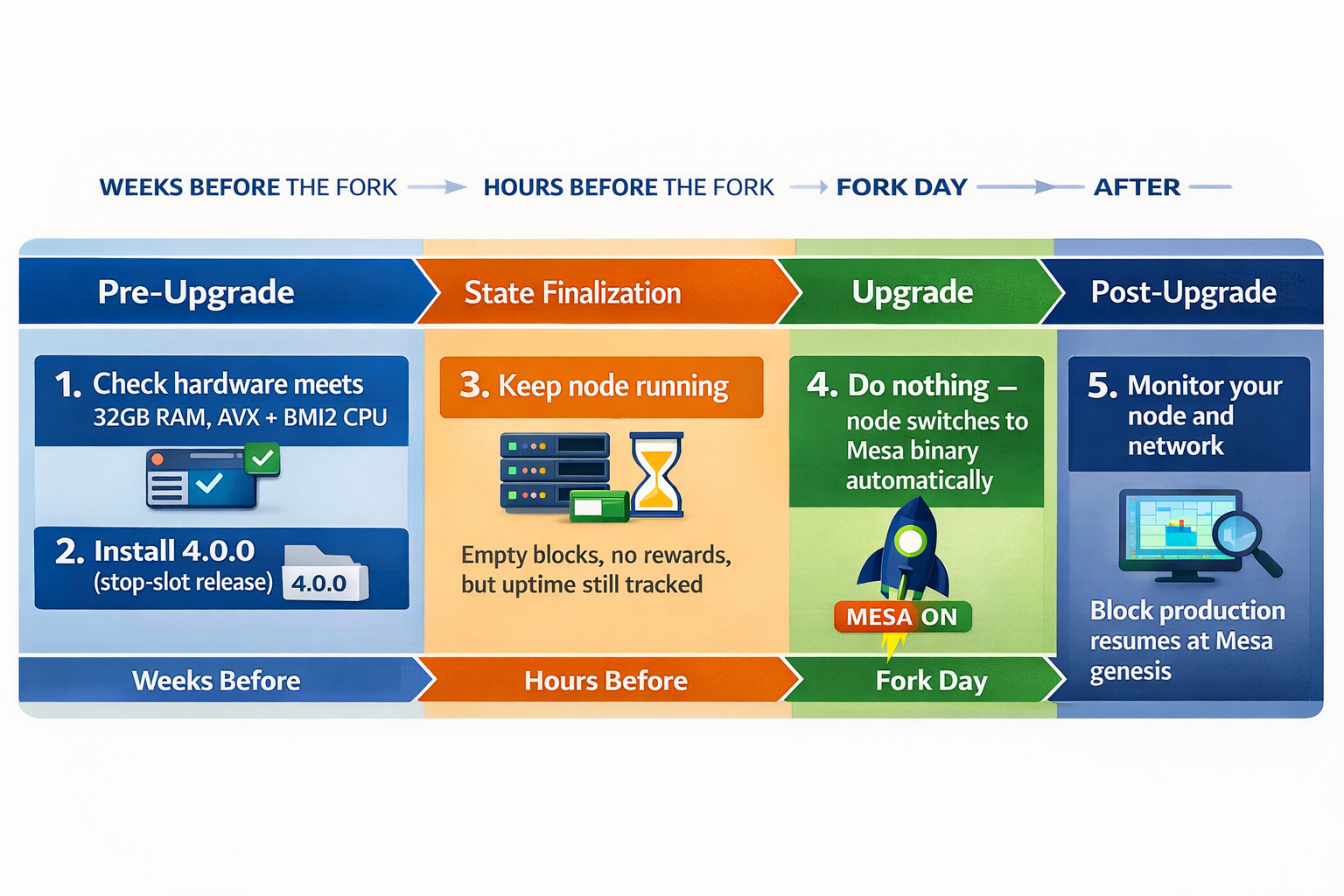
Example — Docker (automode):
# Pre-Upgrade: switch to the automode image
docker pull minaprotocol/mina-daemon-auto-hardfork:<version>-bullseye-mainnet

docker run --name mina -d \
  minaprotocol/mina-daemon-auto-hardfork:<version>-bullseye-mainnet \
  daemon \
    --block-producer-key /keys/my-wallet \
    --config-directory /root/.mina-config \
    --libp2p-keypair /keys/libp2p-key \
    --peer-list-url https://bootnodes.minaprotocol.com/networks/mainnet.txt \
    --generate-genesis-proof true \
    --file-log-rotations 500 \
    --log-json

# That's it. Your node will automatically transition to Mesa at the fork.
# After the fork, verify it switched:
docker exec mina ls /root/.mina-config/auto-fork-mesa-mainnet/activated
docker exec mina mina client status
Example — Debian (automode):
# Pre-Upgrade: install both prefork and postfork packages
sudo apt-get update
sudo apt-get install mina-mainnet-prefork-mesa=3.x.x mina-mainnet-postfork-mesa=4.x.x

# Start your node as usual — the dispatcher routes to the correct binary
mina daemon \
  --block-producer-key ~/keys/my-wallet \
  --config-directory ~/.mina-config \
  --libp2p-keypair ~/keys/libp2p-key \
  --peer-list-url https://bootnodes.minaprotocol.com/networks/mainnet.txt \
  --generate-genesis-proof true \
  --file-log-rotations 500 \
  --log-json

# After the network halts, verify:
ls ~/.mina-config/auto-fork-mesa-mainnet/activated    # exists = Mesa is active
mina client status                              # should show Mesa chain
Block Producer (Manual Mode)
You control every step, but you need to act fast when the Mesa release is published.
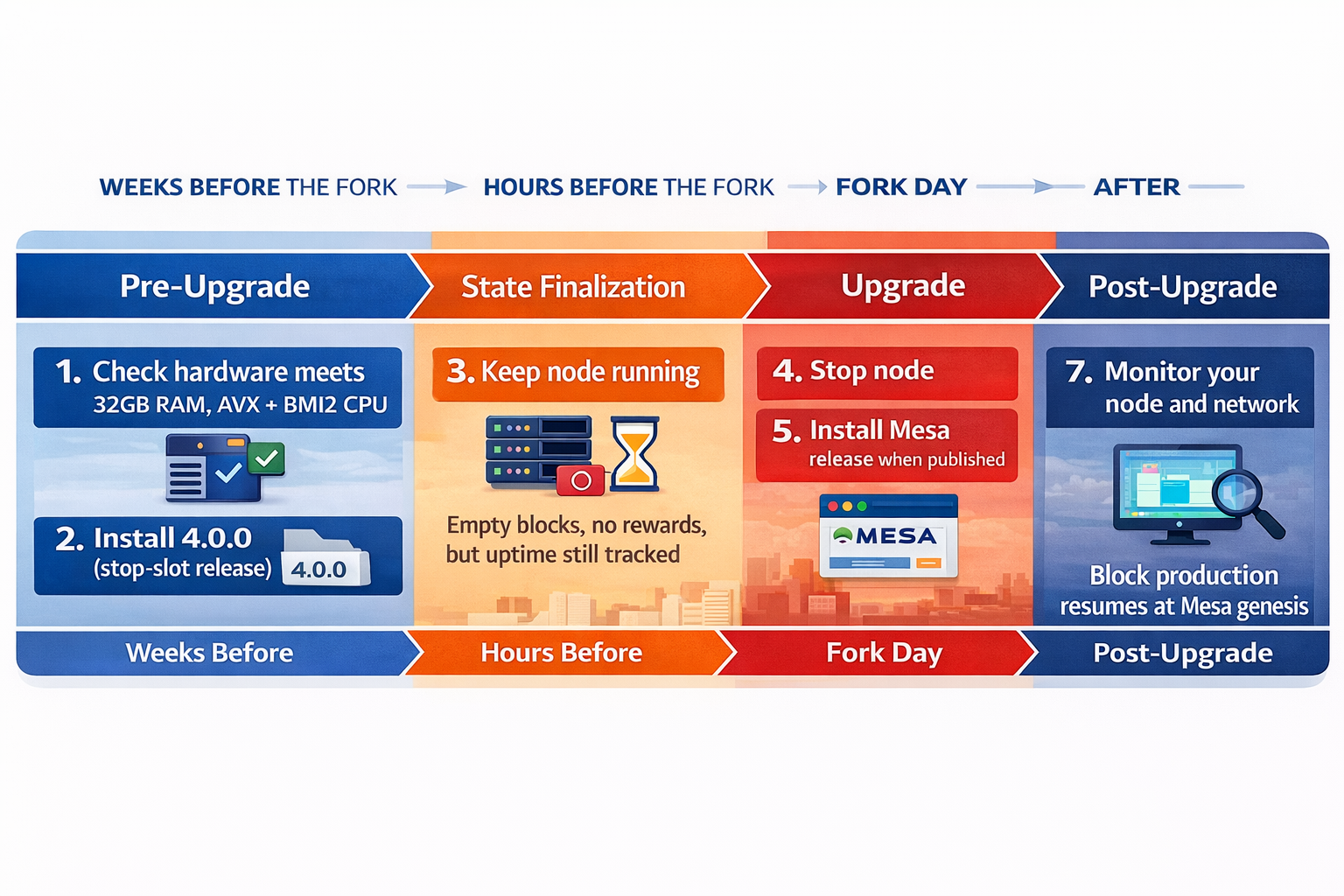
Example — Docker (manual):
# Pre-Upgrade: pull the stop-slot image and start your node
docker pull minaprotocol/mina-daemon:<version>-bullseye-mainnet

docker run --name mina -d \
  -v mina-config:/root/.mina-config \
  minaprotocol/mina-daemon:<version>-bullseye-mainnet \
  daemon \
    --block-producer-key /keys/my-wallet \
    --config-directory /root/.mina-config \
    --libp2p-keypair /keys/libp2p-key \
    --peer-list-url https://bootnodes.minaprotocol.com/networks/mainnet.txt \
    --generate-genesis-proof true \
    --file-log-rotations 500 \
    --log-json

# Run your node normally until the network halts at stop-network-slot
# ...

# Upgrade phase: once the Mesa release is published
docker stop mina && docker rm mina

docker pull minaprotocol/mina-daemon:<mesa-version>-bullseye-mainnet

docker run --name mina -d \
  -v mina-config:/root/.mina-config \
  minaprotocol/mina-daemon:<mesa-version>-bullseye-mainnet \
  daemon \
    --block-producer-key /keys/my-wallet \
    --config-directory /root/.mina-config \
    --libp2p-keypair /keys/libp2p-key \
    --peer-list-url https://bootnodes.minaprotocol.com/networks/mainnet.txt \
    --generate-genesis-proof true \
    --file-log-rotations 500 \
    --log-json

# After the fork, verify:
docker exec mina mina client status    # should show Mesa chain
Example — Debian (manual):
# Pre-Upgrade: install the stop-slot release
sudo apt-get update
sudo apt-get install mina-mainnet=3.x.x

# Run your node normally until the network halts at stop-network-slot
# ...

# Upgrade phase: once the Mesa release is published
sudo systemctl stop mina

sudo apt-get update
sudo apt-get install mina-mainnet=4.x.x

# Restart with updated flags (see Post-Upgrade Flags page)
sudo systemctl start mina
After the fork, verify the chain:
mina client status # should show Mesa chain
SNARK Worker / Coordinator
SNARK coordinators follow the same path as manual block producers. SNARK workers connect to a coordinator and do not need independent upgrades — they just need the coordinator to be on Mesa.
The coordinator schedule is identical to the block producer schedule above — use Manual Mode depending on your preference. After the coordinator transitions to Mesa, restart your SNARK workers and reconnect them to the coordinator.
Archive Node Operator
Archive nodes do not support automode — they always require manual steps. You also need to handle the database schema upgrade.
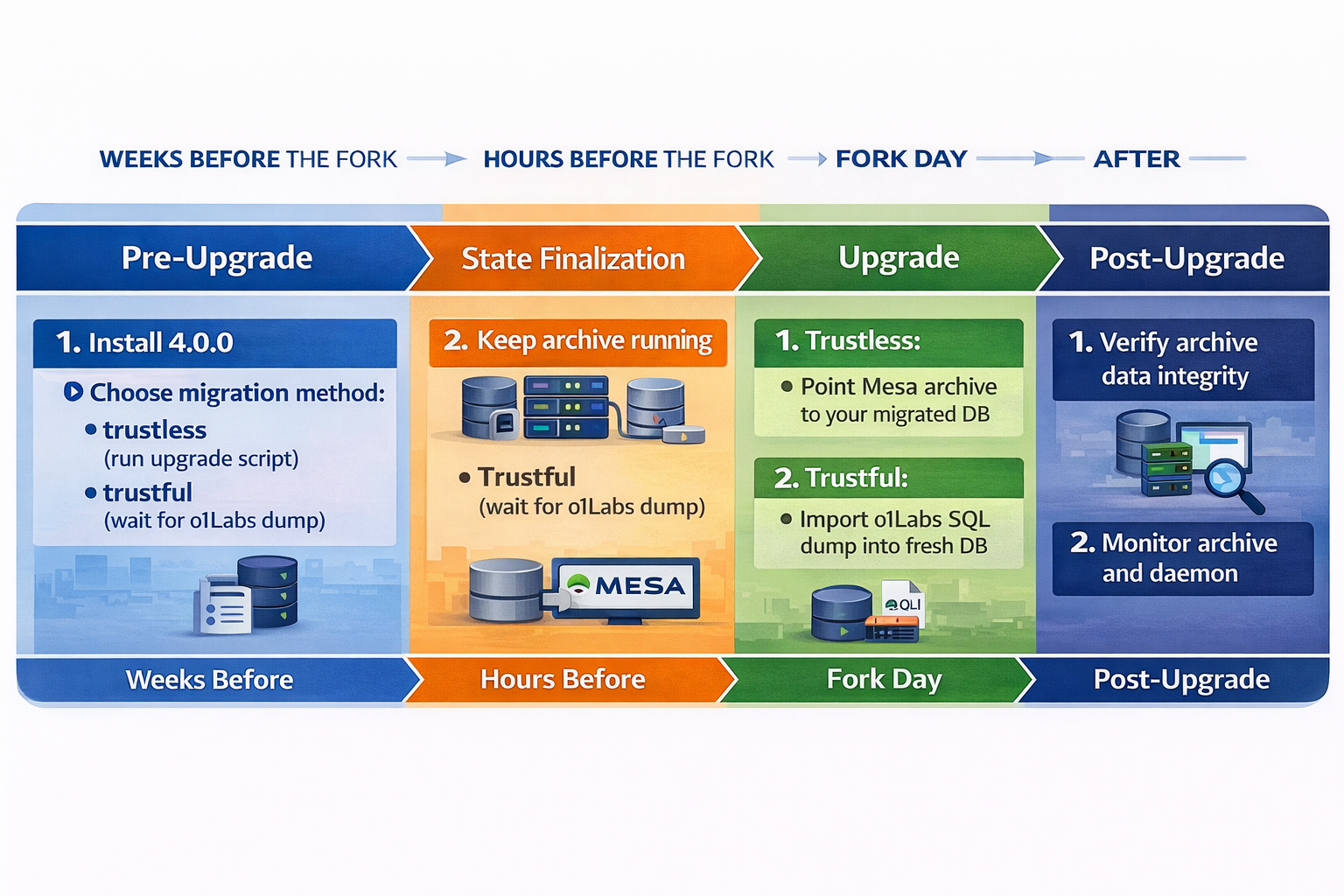
See Archive Upgrade for detailed upgrade instructions.
Exchange
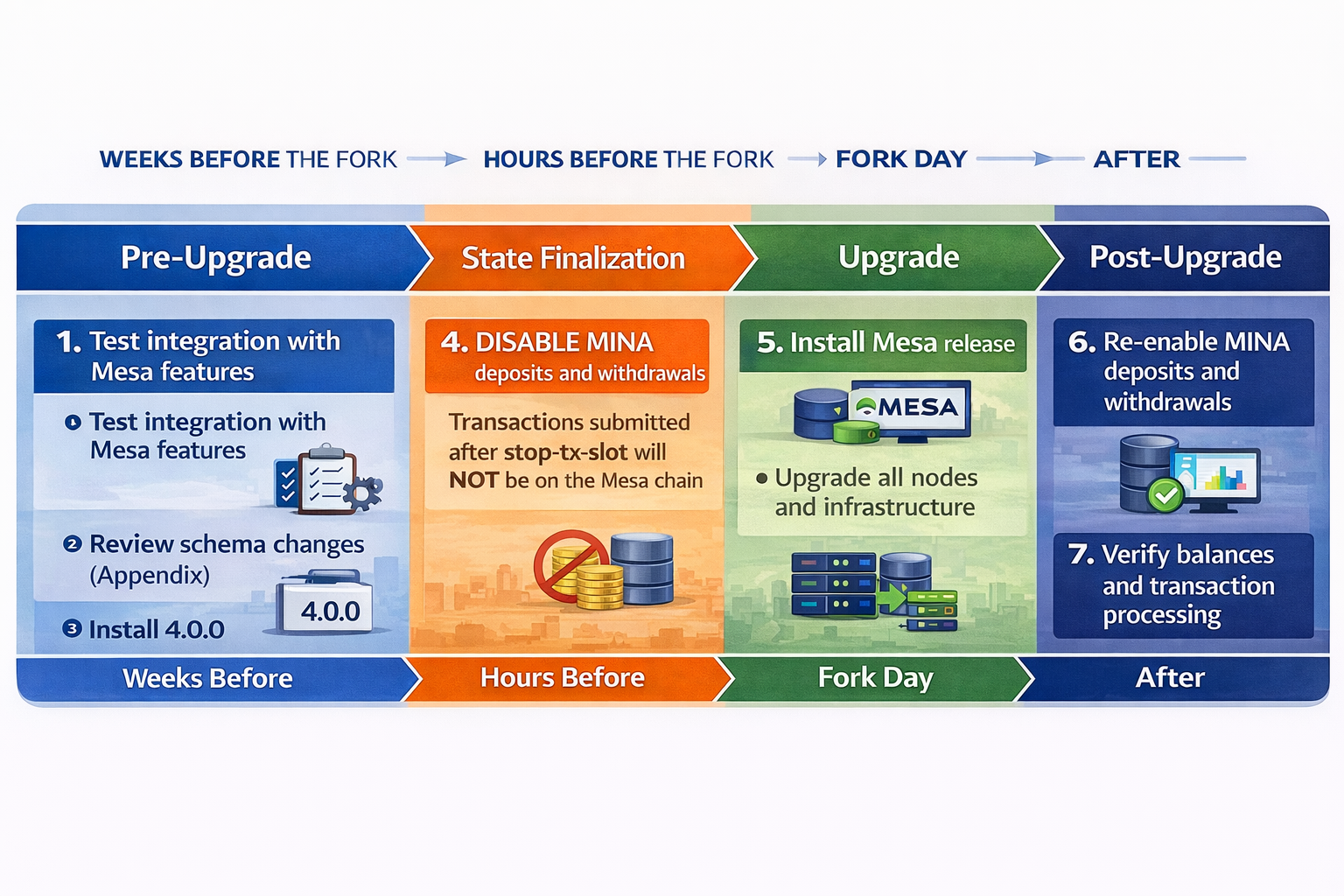
Any transactions submitted after the stop-transaction-slot will not exist on the Mesa chain. Disable deposits and withdrawals before State Finalization begins and keep them disabled until block production resumes on Mesa.